Join the waitlist Sign in
Agent at Home · a KWS Labs build path

An AI assistant that is actually yours.

Build your own personal AI assistant, one guided step at a time. It is self-hosted on your own setup and shaped around your life and your work.

One email when Agent at Home opens.

Check your inbox.One click in the email confirms your spot.
The Agent at Home robot holding up a name badge
What will you call yours?

You ask. It gets it done.

One AI agent for your life and your work, inside the apps you already use.

The Agent at Home robot, listening
Standing by

Self-hosting your apps? Your agent runs on the same network, so it reaches them directly.

How it gets built

Paste a prompt. Your coding agent builds it.

Works with Claude Code, Codex or Cursor. Every lesson ends with something you can see working.

Prompt · Lesson 5Copy

Install Hermes Agent on my server and connect it to my Telegram bot.

1You

Copy the prompt

Each lesson hands you one, shaped by your own choices.

coding agent
  • Installing Hermes Agent
  • Connecting Telegram
  • Writing your rules
  • Sending a hello
2Your coding agent

It builds and configures

Claude Code, Codex or Cursor does the typing.

Are you there?
Here. Ready when you are.
Test passedLooks right
3You

Check it and approve

A test you run yourself closes every lesson.
The robot gives a thumbs up
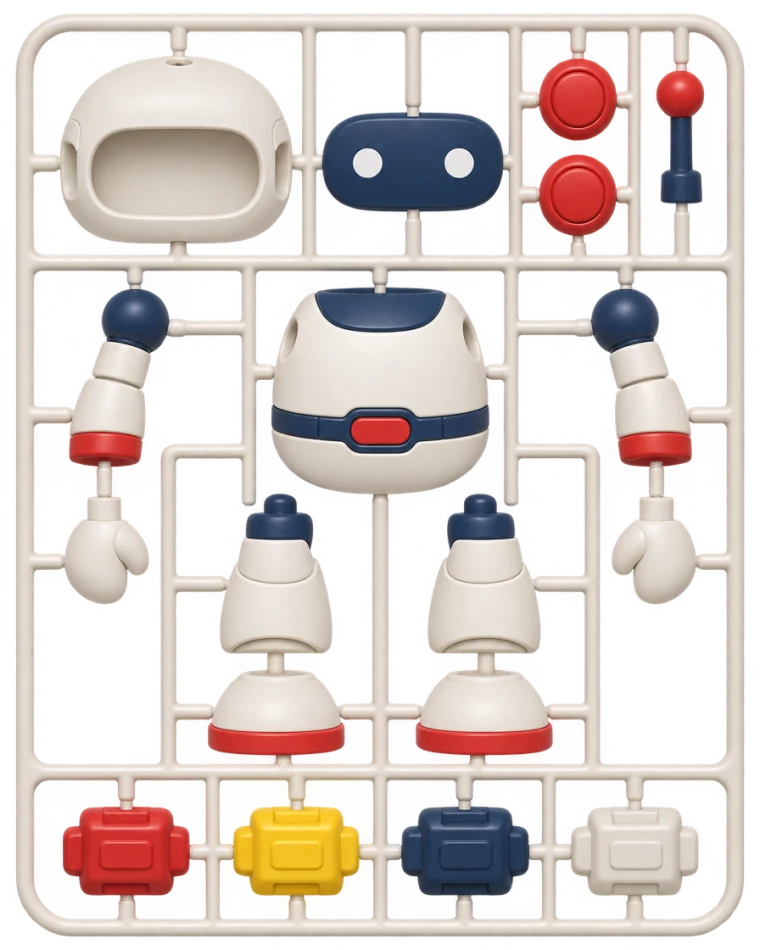
The robot as a model kit, its parts on a frame
The assembled robot
Kit no. 02
What you build on

A proven open-source agent. Tuned into yours.

The path shows you how to install Hermes Agent or OpenClaw, then goes well beyond their docs: the tools, tuning and extras that make an assistant dependable.

Hermes AgentRecommended
OpenClawFully supported
Added on the path, beyond the docs
  • MemoryThree layers, so it keeps what matters.
  • ToolsCalendar, inbox, web search, voice notes.
  • SkillsTwelve ready ones, and it learns more.
  • RulesWhat it does alone, what needs your yes.
  • RoutinesWork on a schedule, while you sleep.
  • BackupsOne you have restored, plus an outside alarm.
  • CharacterA name, a voice, what it knows about you.
  • A private homeReachable from your phone, closed to the internet.
Side by side

The hosted assistants, next to your own.

They run on a vendor's service. Yours runs where you decide.

Hosted assistantsGrok Bot · dots · Claude Duet
  • Runs onThe vendor's service
  • ModelThat vendor's models
  • MachineSet by the plan
  • Your own appsOnly what they connect
  • MemoryKept in their account
  • CostA monthly subscription
vs
The robot stands proud
Agent at HomeYour agent, on your own setup
  • Runs onYour own machine or server
  • ModelAny model you pick
  • MachineAs big as you give it
  • Your own appsReached directly
  • MemoryFiles on your own disk
  • CostYour server and your model

Hosted assistants as described in public reviews, November 2026.

The robot flies past
From the maker
Now it is the first place I go.

I tried the hosted assistants first. One ran on a small cloud machine that ran out of room, and it kept doing things I never asked for. Another had a security hole.

None of them could reach the apps I host myself. So I built my own, gave it every tool and tuned it fast. It learned how I work.

IK
Ilan KushnirMaker of KWS Labs
TasksCalendarEmailRemindersTripsSmart homeMy home server
What it does

Ask it like you'd ask a person.

Six everyday jobs, from the request to the finished result.

Plan my day around the dentist.

Day planThursday
  1. Standup
  2. Deep workKept clear
  3. Lunch with Emma
  4. Dentist
  5. Groceries on the way
  6. School pickup

Six things, two quiet hours, home by six.

Reply to the landlord. Keep it polite.

To Mr. Miller Waiting for your OKSent

Re: Boiler repair

Hi Mr. Miller, Tuesday at 10 works for the repair.

Approve and sendEdit

Remind me to call Mom at six.

  • Water the plants
  • Renew car insurance
  • Call Mom

Four days in Lisbon in May.

  1. Day 1Alfama
  2. Day 2Belém
  3. Day 3Sintra
  4. Day 4Market
2 flights1 staySaved to notes

Movie night.

Lights
TV
Blinds closed

Is everything up?

  • Proxmox
  • Nextcloud
  • Jellyfin
  • Home Assistant
  • Paperless

Checking five servicesAll up. Last backup at 03:00.

Included in the path

60 ready requests, each with the exact message to send.

The Agent at Home robot walking in with an envelope and a calendar
The path

Five stages. One assistant, built by you.

From a blueprint to your agent, running. Every lesson ends in something you can see working.

  • 15lessons
  • 14systems
  • 5stages
The Agent at Home robot holding a screwdriver, ready to build
  1. The robot as a blueprint drawing, not built yet
    01

    Blueprint

    Designed, not yet running.

    Framework, model and home chosen

  2. The robot switched on, its eyes lit, waving hello
    02

    First light

    Awake, and talking to you.

    The first message on your phone

  3. The robot holding a shield with a check mark
    03

    Trust

    Safe to rely on.

    Rules, a tested backup, an alarm

  4. The robot holding up a wrench, ready to work
    04

    Power

    Useful every day.

    Tools, routines, memory, skills

  5. The robot relaxed with a mug, smiling
    05

    Life

    Part of the household, or the business.

    Your people in, a monthly check
The catalog

Then comes the fun part. A catalog that keeps growing.

Most people get an agent running and then wonder what to ask of it. The path comes with a catalog of things to try: ready requests, skills and setups, many of them lifted straight from the agent we run ourselves. We keep adding to it as the tools change.

  • What it does and what it needs
  • What to watch before you add it
  • The exact message or prompt to paste
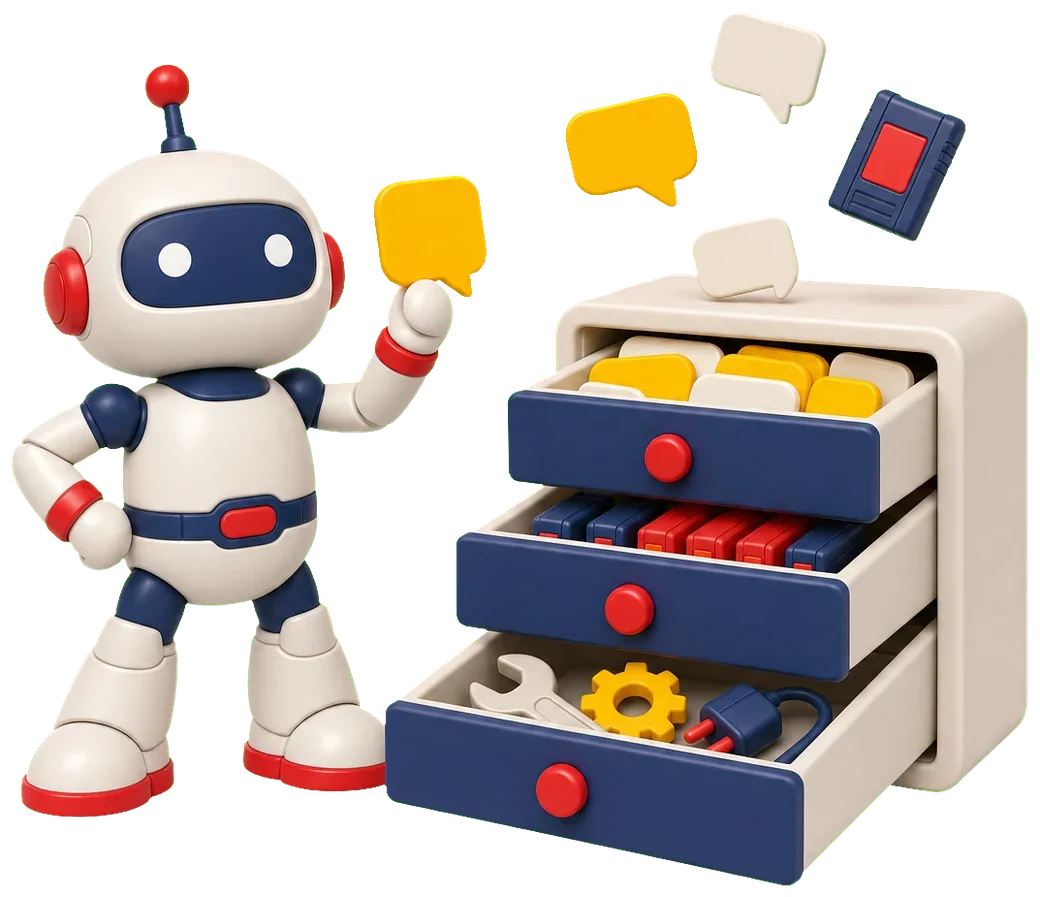
The Agent at Home robot beside a cabinet of three open drawers: message cards, skill cartridges and tools, with new ones dropping in
A stack of message cards
60 so far

Ready requests

The exact message to send your agent, for both frameworks.

  • On a scheduleMorning briefWeather, calendar and the one thing not to forget.
  • On demandPhoto to listA scribbled note becomes a checklist.
  • Watches quietlyPrice or availability watchSpeaks only when the price is right.
  • On a scheduleThis week's dinnersA week of dinners and one grocery list.
  • On a scheduleBill and renewal heads-upA heads-up before anything renews.
  • On a scheduleTopic digestFive bullets on a topic, no repeats.
  • On demandSummarise a long thingA long video or PDF in ten lines.
  • On a scheduleA reminder in your own wordsA nudge, in the words you used.
  • On a scheduleSchool notices digestDates, forms due and what to pack.
  • On demandResearch brief on demandA short brief where every claim has a link.
  • On a scheduleServer health checkWhat is up, what is full, what to look at.
  • On a scheduleNewsletter and inbox digestA mailbox boiled down to one message.
Three skill cartridges in a rack
12 so far

Skills

Procedures it follows, in plain text you read before you install.

  • EveryoneFirst Week CoachOne quick win a day for a week.
  • EveryonePermission LedgerWhat it may do alone, with your yes, or never.
  • EveryoneCost GuardA weekly spend note against your budget.
  • familyFamily HubOne helper in the household chat.
  • familySchool NoticesSchool mail turned into dates and forms.
  • familyDinner LoopA dinner plan that knows the allergies.
  • familyChores and AllowanceA fair rotation and a Sunday settlement.
  • familyHome Care CalendarMaintenance and warranties, one list a month.
  • businessLead DeskEvery enquiry logged, a reply drafted.
  • businessQuote to InvoiceDictate a job, get a quote, then an invoice.
  • businessGentle ChaserPolite reminders for overdue invoices.
  • businessOwner Morning NumbersYesterday in five lines.
An open toolbox with a wrench, a gear and a plug
31 so far

Setups

Configurations and add-ons, each with a short guide and a prompt for your coding agent.

  • Home and familyA family helper in your WhatsApp groupEveryone can ask it. It holds nothing of yours.
  • SafetyThe guest list: add or remove a personWho may talk to it, changed safely.
  • SafetyRead a stranger's skill in quarantine firstRead before it goes anywhere near your agent.
  • Character and rhythmA constitution it cannot rewriteIts character stays put while memory grows.
  • Character and rhythmA morning brief and an evening reflectionA brief at dawn, one question at dusk.
  • Voice and reachVoice notes, transcribed on your own machineYour voice never leaves your machine.
  • The webWeb search that is your ownNo search account, no history.
  • Cost and modelsA model policy with a way downIt keeps answering when a model has a bad hour.
  • Keeping it healthyA weekly health report from the agent itselfSunday: what is quietly going wrong.
  • MemoryA notes vault it files things intoIts memory as files you can open.
  • SafetyFive safety switches worth checking todayThe settings that drift, re-checked.
  • Voice and reachA second window, on the private network onlyA web view, on your private network only.
  • Character and rhythmRules for when it may interrupt youEvery unprompted message says why now.
  • Voice and reachPictures on request, with a spending capImages on their own small budget.
  • Home and familyYour smart home, by chatIs the garage open? Ask in chat.
  • Home and familyA second agent for the household, behind its own wallOne for the family, behind its own wall.
  • Cost and modelsChecks that never wake the modelChecks that never wake the model.
  • MemoryOne memory for your agent and your coding toolsOne memory for it and your coding tools.
  • Voice and reachPhone alerts with two loudness levelsA buzz for reminders, a siren for urgent.

Nothing in the catalog is required. Pick what you would use, and add the next one when the first has earned its place.

Added in November 2026
  • A family helper in your WhatsApp group
  • A safety check-up, read-only
  • Voice notes, transcribed on your own machine
Control

It asks before it acts.

You decide what it may do alone, what needs your yes, and what it may never do.

  • AloneRead the calendar, search the web
  • Needs your yesSend mail, change the calendar
  • NeverPay, log in to websites

Sandbox proven firstA backup you have restoredAn alarm outside the agent

The Agent at Home robot holding a shield
Safety first

Built to be as safe as a home agent can be.

An agent that reads your mail and acts for you has to be built carefully. Every stage adds a protection, and you prove each one works before the agent gets more to do.

  • A room of its ownIt lives on a machine that holds nothing else of yours. If it is ever tricked, that room is all it can reach.Built in Lesson 4
  • Nothing on the public internetNo dashboard, no open port. You reach it through your chat app and a private network.Built in Lesson 4
  • Only the people you nameA short list, by phone number. A stranger who writes to it gets nothing.Built in Lesson 5
  • Its own accounts, never yoursIts own mailbox, number and keys, each with a spending cap. Cancel any of them without touching your own life.Built in Lessons 2 and 9
  • Add-ons you can readHundreds of add-ons in public registries carried malware this year. Ours are plain text, and you learn to vet any other before it goes in.Built in Lesson 12
  • A way backA backup you have restored yourself, an alarm that lives outside the agent, and an off switch you have used.Built in Lesson 8

No agent is safe by design, and the path says so from the start. So yours is built for the day it gets tricked: little within its reach, a yes from you before anything lasting, and a way back.

12 rulesThe safety guide comes with the path, and we keep it up to date
What you need

What you need to start.

Four things. We teach and guide you through every one of them.

  • A machine that stays on, or a cloud VPS

    A home server, a Raspberry Pi, or a small server you rent.

    $0 to $15a month, about
  • A model account

    With a hard spending cap. For one light user:

    $0 to $20a month, about
  • A coding agent

    Your coding agent does the typing.

    Claude CodeCodexCursor
  • A chat app on your phone

    Where you talk to your agent. Pick the one you already use.

    TelegramDiscordSlackWhatsApp*
    * WhatsApp needs a separate number.
The Agent at Home robot sitting on a small computer of its own
Always on, on your own setup
FAQ

Good questions, short answers.

The things worth knowing before you start.

Join the waitlist

Your coding agent does the typing. You make the choices and check the result.

An AI assistant that runs on a machine you control, such as a home server, a Raspberry Pi or a small server you rent, instead of on a vendor's service. You pick the model, its memory is files on your own disk, and you talk to it in your chat app.

A hosted assistant runs on its vendor's service, with that vendor's models and the apps they chose to connect. Your own agent runs where you decide, uses any model you pick, and reaches your own apps directly.

You can. Hermes Agent and OpenClaw both install quickly from their docs, and the path covers that too. What it adds is everything around the install: the add-ons, tools and tuning we tested, improved and collected.

A machine that stays on or a cloud VPS, a model account, a coding agent and a chat app on your phone. The path guides you through setting up each one.

Hermes Agent and OpenClaw are open source. You pay for the machine, about $0 to $15 a month, and for the model, about $0 to $20 a month for one light user with a hard spending cap.

The path recommends Hermes Agent and fully supports OpenClaw. You can switch later.

Any model you pick. The path walks you through the choices: a subscription sign-in, an API key with a spending cap, a router that reaches many models, or later a local model on your own hardware.

Yes. You talk to your agent in the chat app you already use: Telegram, Discord, Slack or WhatsApp. WhatsApp needs a separate number.

No agent is safe by design, so the path builds yours for the day it gets tricked: its own machine, nothing on the public internet, a short list of who may talk, your yes before anything lasting, and a backup you have restored. A safety guide of twelve rules comes with it.

Its memory is files on your own disk, and it sits on a private network with nothing open to the public internet. What you ask goes to the model provider you chose, unless you run a local model.

A Raspberry Pi or a small rented server is enough. If you have a home lab, your agent lives on it.

Soon. Join the waitlist and you get one email the day it opens.

The waitlist

Save a place for your agent.

Name it, join the waitlist, and get one email the day Agent at Home opens.

Its name
Check your inbox.One click in the email confirms your spot.
Builder pass · Kit no. 02 Your agent An AI assistant that is actually yours
PathAgent at Home
Runs onYour own setup
StatusNot on the list yet
On the list